Search This Blog

Showing posts with label Web 2.0 tools. Show all posts

Sunday, May 22, 2011

Using a digital journal/ Utilizando un diario digital

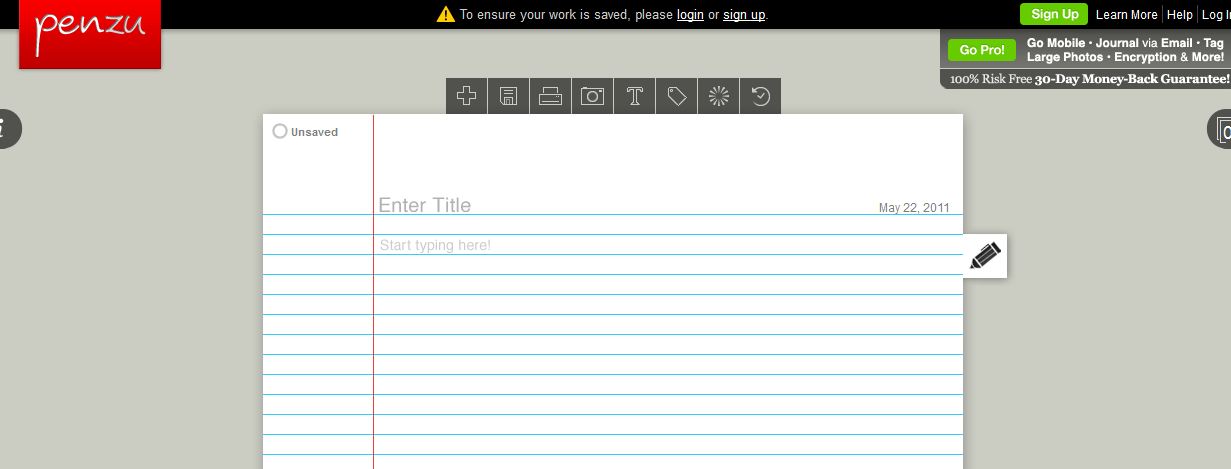
      Penzu is a digital journal that allows you to share your journal entries with your students, as well as have them sharing with you. If you would like to try it, make sure you have an email account with space enough to receive emails from all your students.
We recommend you to open a new account separately from your personal one. Personally, we’ve been using it for the last two years and its given us great results. The students feel motivated since it allows them to save and see their progress in their writing pieces throughout the course.
       Penzu es una herramienta digital que te permite compartir los registros que hagas en tu diario con tus estudiantes, así como también que ellos compartan contigo. Si te gustaría probarlo, asegúrate de que tienes una cuenta de email que tenga suficientes espacio para recibir emails de todos tus alumnos. Les recomendamos crear una cuenta separada de la que utilicen para su correo personal. Personalmente, la hemos utilizado en estos últimos dos años y ha venido dando buenos resultados. A los estudiantes les motiva debido a que les permite ver su progreso y archivar todas las tareas escritas que han realizado a través del curso.
Click the following link to start your penzu account
Haz click en el siguiente link para comenzar tu cuenta en pezu:
 Enjoy!
M&V

Wednesday, April 20, 2011

Find or make flashcards online.../ Crea o encuentra flashcards en la web

    
 We all know the value of using flashcards when engaging the learning process of our students. It allows for reinforcement of visual and oral, combining different senses in knowledge acquisition.  
     Todos conocemos el valor de utilizar "flashcards" para lograr involucrar a nuestros alumnos en el proceso de aprendizaje. El uso de las mismas nos permite lograr un refuerzo visual y oral combinando los sentidos en la adquisición de conocimiento.  
    The website above is an excellent internet tool for you to find content already made by other teachers, or to make your own online flashcards.Read the instructional guide and you can create a link so that your students can access from home for further review/study the aimed vocabulary.
   El link anterior es un recurso excelente para encontar contenidos realizados por otros docentes, o para realizar vuestras propias tarjetas. Lean las instrucciones y podrán crear un link para que sus estudiantes accedan desde sus casas y pueden repasar y estudiar el vocabulario específico.   
My students love it and find it useful when studying. You have to register, but it's FREE! There is a huge data base of already created flashcards by other educators that you will find saves you time and energy. The dream of all teachers, right?  "Cut and Paste" relevant lessons!
    A mis estudiantes les encanta y lo hayan de utilidad para estudiar. Tienen que registrarse, pero es completamente gratis. Van a encontrar una gran cantidad de flashcards creadas por otros educadores que les van a ahorra tiempo y energía. El sueño de todo docente, no? " Copien y peguen" las lecciones que sean relevantes para uds!
 Again, create your own or use the one's already made. Be sure to mark the "add to data base" selection so that others can share any flashcards you make! Repito, creen nuevas o utilicen las que otros ya han creado. Eso si, asegurense de marcar donde dice "add to data base" para que otros puedan utilizar las flashcards que uds. realicen.
Visit/ visiten:  www.flashcardmachine.com
Enjoy!
M&V

Tuesday, April 19, 2011

Audacity in our English Learning Class/ Audacity en nuestra clase de inglés

Following up with our comments about web 2.0 tools we thought this one might be helpful...
What is Audacity? It's a tool that allows us to record our students voices. It's a free sound editing tool that you could use to keep record of your students reading skills as they improve throughout the year. This tutorial might help you...

Continuando con nuestros comentarios acerca de las herramientas 2.0, pensamos que esta podria ser de utilidad...
¿Qué es Audacity? Es una herramienta que nos permite grabar las voces de nuestros estudiantes. Es una herramienta para editar sonidos, de software libre, es decir gratis, con la cual podemos grabar las habilidades lectoras de nuestros estudiantes  y  su evolución durante el año escolar. Este video informativo puede ayudarlos...
To download it please visit: http://audacity.sourceforge.net/
 
Enjoy the tool!
M&V

Tuesday, March 15, 2011

Word Play and Multiple Recognition Strategies

Hola mis amigos!

http://www.visualthesaurus.com/

  This is a new site for me that I have found "by accident." I was impressed with the (w)holistic way that it really analyzes any word you may choose from so many different perspectives. I believe this gives the learner, and teacher, a real advantage when trying to explain the meaning of a word. This program, while it does cost some money, seems like it may be worth the investment. It will show the student all the synonyms, antonyms, ways to use it in different parts of speech, and all with a graphic organizer that can be changed to specific settings. I have not tried it yet, but it also will accomadate other languages, Spanish included!
  As a teacher, and human being,  I am upset that I even think about spending my own money to purchase this software. As an advocate for better learning and better tools for my students, I think it may be worth it.
   Let me know your thoughts and/or experiences in this realm of thinking, or with the soft ware itself.
Much respect to all my fellow educators!

Mike

Sunday, February 27, 2011

Web 2.0 tools...Check WORDLE out!

This picture was taken from http://www.21stcenturyskillsbook.com/blog/

Visit http://www.wordle.net/
All you have to do is click on "Create."
Type the words you'd like to include in your wordle and have fun randomizing them!
You could type five words or 100 words. It doesn't need to be as complex as the one you are looking at.
It could be used as a prompt to have your students writing a story from the word list, or even just a sentence they need to put in order.Each of them could type them in their XO laptops and play with them.It's a puzzle, it's language, it's fun!
Play/experiment with it!

Lo unico que hay que hacer es "click" en "Create". Escribe todas las palabras que quieras incluir en tu wordle y divertite haciendo click en "randomize". Puedes incluir tan solo 5 o 100 palabras (deja un espacio entre ellas). No necesita ser tan complejo como el de la foto. Esta herramienta puede utilizarse como actividad disparadora en la que tus estudiantes pueden escribir una historia a partir de las palabras que aparecen en el Wordle, o tan solo una oracion para que ellos pongan en orden. Cada uno de ellos puede crear el suyo en su laptop XO y jugar con ellos. Es un puzzle, es practicar el lenguage y tambien es divertido!
Jueguen y experimenten con ella!